
Introduction
Self
Introduction
Self
6 Areas
Information and
Data Literacy
Introduction
Communication
Introduction
Collaboration
Introduction
Digital Content
Creation
Introduction
Safety
Introduction
Problem Solving
Introduction
Self
Takeaways
Refer this quiz to a friend
.png)
Guidance

Digital Literacy
Personalized guidance report
Digital literacy affects how you learn, work, and navigate daily life. It shapes how you find and manage information, connect with others, create content, stay safe online, and solve problems. This report is based on your responses and reflects how you use digital tools across six core skill areas:
Tip :
Hover on any of the graph to get detailed information about each factor.

Click on any of the graph to get detailed information about each factor.


Information and Data Literacy
Your ability to find, evaluate, and organize digital information.

Communication
Your ability to interact, share content, and engage in digital spaces.

Collaboration
Your ability to work with others and manage digital identity.

Digital Content Creation
Your ability to create, combine, and respect rights related to digital content.

Safety
Your ability to protect devices, data, well-being, and the environment online.

Problem Solving
Your ability to tackle digital problems and learn new tools and skills.
Information and Data Literacy
This section explains how you search for, evaluate, and organize digital information so you can find what you need, judge its quality, and manage it effectively.
Tip :
Hover on any of the graph to get detailed information about each factor.
Click on any of the graph to get detailed information about each factor.


You can run simple searches and recognize a few trusted sources. You might rely on basic steps and repeat the same methods. Building more variety into how you search could help you find better or more current results.
To strengthen this skill, practice using different search filters and keyword combinations to refine your results.
Your personal guidance
Browsing, Searching, and Filtering
Here, we look at how you figure out what you need online and how well you adjust your searches to get better results.
Was the personal guidance helpful?
Thank you, for your feedback!

People vary a lot in how they search online. Some stick to simple search terms and never move past the first result. Others use filters, compare results, or try different tools until they find exactly what they need. Skilled searchers adjust as they go and know how to get better results with less effort. Understanding these differences helps you collaborate more smoothly and guide others without overwhelming them.
Understanding others

You do basic checks to see if something seems trustworthy. You might rely on surface signs like design or domain name. Learning to cross-check sources or identify bias could help you avoid misinformation or unreliable advice.
To strengthen this skill, make it a habit to check the author, publication date, and supporting evidence before you trust it.
Your personal guidance
Evaluating Digital Information
Here, we look at how you judge what’s credible online and how you decide which sources to trust.
Was the personal guidance helpful?
Thank you, for your feedback!
Not everyone uses the same approach to judging online information. Some people rely on gut feelings or familiar websites. Others look deeper, checking authors, cross-referencing claims, and spotting patterns. The most advanced users adapt their approach depending on what they’re researching. Knowing these differences can help you offer support without criticism and encourage more thoughtful discussions online and in person.
Understanding others

You can manage basic information and content across websites or cloud platforms. You might save files and locate them when needed, but your system might not be configured to help you organize and find what you need. Building clearer organization habits can save time and reduce confusion.
To strengthen this skill, create folders with clear names and group similar files together.
Your personal guidance
Managing Data, Information, and Digital Content
Here, we look at how well you organize, store, structure, and retrieve data, information, and digital content across platforms such as websites and cloud storage.
Was the personal guidance helpful?
Thank you, for your feedback!
People vary in how they manage digital information. Some can only save and locate basic files without a clear system. Others organize, store, and retrieve content with moderate structure. Highly skilled individuals create efficient systems, move smoothly across platforms, and guide others in managing data. Recognizing these differences helps you set realistic expectations, support others without frustration, and continue strengthening your own digital organization skills.
Understanding others
Communication
This section explores how you interact with others online, share content clearly, and take part in digital communities using the right tools and tone.
Tip :
Hover on any of the graph to get detailed information about each factor.
Click on any of the graph to get detailed information about each factor.
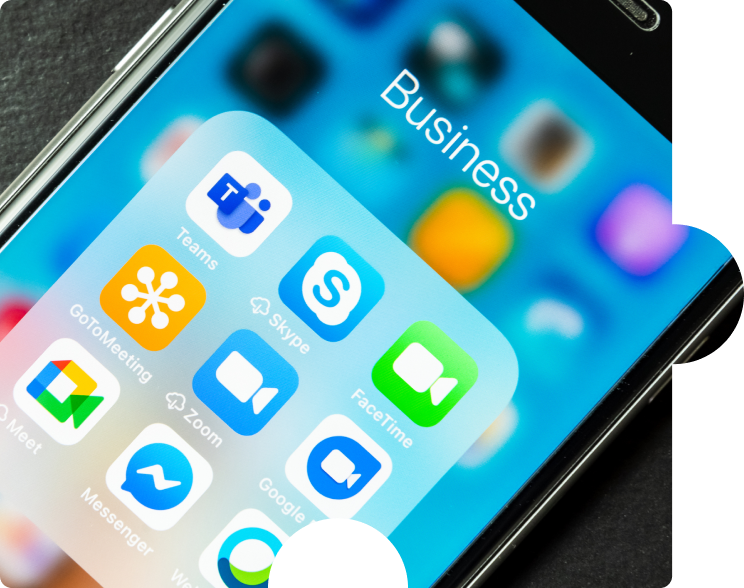
You use digital tools for basic communication and sharing but might rely on familiar platforms or default settings. You might not always adjust format, tone, or attribution. Choosing tools more intentionally and crediting sources can improve clarity and trust.
To strengthen this skill, match the platform to the task and include links or author names when sharing content.
Your personal guidance
Sharing and Using Digital Tools
Here, we look at how you choose digital platforms to communicate, share content clearly, and give proper credit when using other people’s work.
Was the personal guidance helpful?
Thank you, for your feedback!
People vary in how they communicate and share content online. Some rely on familiar tools and might overlook tone, format, or attribution. Others choose platforms carefully and give clear credit when using someone else’s work. Highly skilled individuals adapt tools, message style, and sharing methods to fit the context and guide others in doing the same. Recognizing these differences helps you respond with patience, set clear expectations, and support stronger digital collaboration.
Understanding others

You can use public or private digital services like online forms or portals but might not explore beyond the basics. Learning to compare options could help you feel more in control.
To strengthen this skill, pick one digital service you already use and explore its features or settings in more detail.
Your personal guidance
Engaging in Digital Citizenship
Here, we look at how you use digital tools to participate in public life and access important services like health care or education.
Was the personal guidance helpful?
Thank you, for your feedback!
Digital citizenship looks different for everyone. Some people avoid online services unless they are required. Others use them often but might miss key features. The most confident users explore services, understand the benefits and risks, and help others navigate them too. These differences shape how well people access support, education, or opportunities. Recognizing this can help you encourage others, share what you’ve learned, and promote greater access in your community or workplace.
Understanding others
Collaboration
This section considers how you use digital tools to work with others, contribute to shared projects, follow online norms, and manage your digital identity.
Tip :
Hover on any of the graph to get detailed information about each factor.
Click on any of the graph to get detailed information about each factor.

You prefer working alone and might not often use shared digital tools. This can limit your ability to contribute or benefit from group work.
To strengthen this skill, try using a shared document or project board this week and leave one comment or contribution.
Your personal guidance
Collaborating Using Digital Tools
Here, we look at how you use shared digital spaces to co-create, contribute, and build things with others.
Was the personal guidance helpful?
Thank you, for your feedback!
People show up differently in digital collaboration. Some stay quiet or only react to prompts. Others jump in quickly and drive group work forward. Not everyone is comfortable co-creating, and many need a clear structure or encouragement to share their ideas. Supporting people where they are—by offering simple entry points or guiding them through the platform—can make teamwork smoother and more inclusive.
Understanding others

You are aware of general digital behavior standards but might not always adapt to a platform's tone or audience.
To strengthen this skill, try matching your tone to the group context in your next message and observe how others respond.
Your personal guidance
Netiquette
Here, we look at how well you follow digital norms and adjust how you communicate in different online settings.
Was the personal guidance helpful?
Thank you, for your feedback!
People bring different habits, comfort levels, and communication styles to digital spaces. Some may write bluntly without meaning offense. Others may avoid saying what they think out of caution. Strong digital communicators know when to be clear, when to hold back, and how to show respect across cultures and generations. Adjusting to others and helping them adapt builds stronger digital relationships.
Understanding others

You have one or more digital profiles and take basic privacy steps. You may not think much about how your presence is shaped or seen.
To strengthen this skill, review one of your accounts and update settings or content that no longer represents you well.
Your personal guidance
Managing Digital Identity
Here, we look at how you manage your online presence, control your reputation, and protect your personal data.
Was the personal guidance helpful?
Thank you, for your feedback!
Digital identity is personal. Some people share freely and don't think much about the long-term effects of revealing their digital identity. Others are very cautious and tightly control what they share. The most skilled users make clear choices, protect their reputations, and support others in doing the same. Knowing where someone stands can help you have more respectful and productive conversations about privacy, presence, and professionalism online.
Understanding others
Digital Content Creation
This section explores how you create and edit digital content, combine and rework ideas from others, and apply copyright or licensing rules appropriately.
Tip :
Hover on any of the graph to get detailed information about each factor.
Click on any of the graph to get detailed information about each factor.

You create and edit content in familiar formats and use digital tools to express your ideas clearly.
To build this skill, experiment with one new tool or feature—such as image editing or layout changes—that pushes your creative habits.
Your personal guidance
Developing Content
Here, we look at how you use digital tools to create or edit content and express your ideas.
Was the personal guidance helpful?
Thank you, for your feedback!
People have different levels of comfort with content creation. Some stick with text and basic visuals, while others experiment across formats or platforms. Highly skilled users match the format to the message and regularly explore new tools. Offering encouragement and examples can help others feel more confident expressing themselves in digital spaces.
Understanding others

You make basic changes to digital content but may not yet build on or remix materials from others.
To strengthen this skill, take a piece of content—like an article or graphic—and try improving or combining it with something else you've found.
Your personal guidance
Integrating and Reworking Digital Content
Here, we look at how you combine or adapt existing content to create something new and meaningful.
Was the personal guidance helpful?
Thank you, for your feedback!
Some people treat content as static and avoid editing or remixing. Others build on existing work to improve clarity or add new perspectives. Skilled users integrate sources while respecting their original intent. Helping others learn how to revise, reuse, and adapt content is key to making digital work more collaborative and creative.
Understanding others

You know that copyright exists but might not be sure how or when to apply rules around using others' work.
To strengthen this skill, practice checking the license or usage rights for any piece of content before reusing it.
Your personal guidance
Copyright and Licenses
Here, we look at how well you understand and apply rules around ownership, reuse, and sharing of digital content.
Was the personal guidance helpful?
Thank you, for your feedback!
Not everyone understands what they can or can’t use online. Some don’t know how to check licensing, while others follow rules carefully. Skilled users know how to credit others and choose the right license for their own work. Sharing resources or clarifying rules in group projects can prevent mistakes and encourage ethical content creation.
Understanding others

You understand that computers follow instructions, but you might not yet be comfortable writing them.
To strengthen this skill, start by using a simple drag-and-drop coding tool or by exploring automation features in the apps you already use.
Your personal guidance
Programming
Here, we look at how well you understand and use basic programming or automation to solve problems or conduct tasks.
Was the personal guidance helpful?
Thank you, for your feedback!
People often think programming is beyond their reach. Some avoid it entirely, while others enjoy the challenge of building systems from scratch. Those with strong programming habits often troubleshoot confidently and support others. Creating space for experimentation and providing approachable resources can help others take their first steps into basic coding or automation.
Understanding others
Safety
This section covers how to protect your devices and personal data and reduce the environmental impact of your digital habits.
Tip :
Hover on any of the graph to get detailed information about each factor.
Click on any of the graph to get detailed information about each factor.

You are aware that online threats exist but may not have consistent habits for keeping devices secure.
To strengthen this skill, start by setting up automatic updates and turning on multi-factor authentication for at least one account.
Your personal guidance
Protecting Devices
Here, we look at how you keep your digital devices safe from viruses, threats, or other risks.
Was the personal guidance helpful?
Thank you, for your feedback!
People manage device safety in very different ways. Some may ignore updates or reuse weak passwords. Others are cautious but may miss new threats or fall behind on best practices. Skilled users stay up to date and help others do the same. Being patient and showing small, useful steps can go further than technical advice alone.
Understanding others

You understand that personal data can be misused but might not yet check how platforms manage it or control how you share it.
To strengthen this skill, review the privacy settings on one app or platform you use often and adjust anything that feels risky.
Your personal guidance
Protecting Personal Data and Privacy
Here, we look at how you manage your personal data and understand how digital services collect and use it.
Was the personal guidance helpful?
Thank you, for your feedback!
People vary in how much they think about personal data. Some assume platforms are safe. Others are cautious but may not know how to manage settings well. Skilled users read between the lines and take control of their data. You can support others by encouraging simple changes and helping them feel more confident in asking questions about data use.
Understanding others

You are aware that too much screen time or too many negative online experiences can affect well-being but might not yet take steps to manage it.
To strengthen this skill, set a timer to take a short screen break each hour and track how doing this affects your focus or mood.
Your personal guidance
Protecting Health and Well-being
Here, we look at how your technology use affects your physical and mental health, and what you do to stay balanced.
Was the personal guidance helpful?
Thank you, for your feedback!
Not everyone has the same awareness or control over how digital use affects their health. Some people burn out or lose track of time. Others are more disciplined but may still struggle with negative content or online conflict. Recognizing where someone is and offering encouragement, structure, or alternatives can help support healthier digital habits for all.
Understanding others

You are aware that technology has environmental costs but might not take regular steps to reduce your digital impact.
To strengthen this skill, start by deleting unused files, limiting video streaming quality, or extending a device's lifespan.
Your personal guidance
Protecting the Environment
Here, we look at how aware you are of the environmental impact of digital technologies and how you act on that knowledge.
Was the personal guidance helpful?
Thank you, for your feedback!
Most people don’t consider how their digital habits impact the environment. Some focus on e-waste or managing cloud storage. More aware users take steps across all devices and behaviors. You can help by sharing practical tips or habits. When they’re simple and clearly explained, they’re more likely to stick.
Understanding others
Problem Solving
This section helps you understand how you troubleshoot digital issues, choose the right tools, think creatively, and build your digital skills over time.
Tip :
Hover on any of the graph to get detailed information about each factor.
Click on any of the graph to get detailed information about each factor.

You can tell when something is not working but often rely on others to solve the problem for you.
To strengthen this skill, pick one simple technical issue this week and search for a solution on your own before asking for help.
Your personal guidance
Solving Technical Problems
Here, we look at how you recognize and fix technical issues when using digital tools or devices.
Was the personal guidance helpful?
Thank you, for your feedback!
People approach technical problems in different ways. Some feel stuck quickly and look for immediate help. Others try a few solutions and learn through trial and error. Those with strong skills use patterns to troubleshoot efficiently, and they share their knowledge. Helping others means creating space for learning without embarrassment and encouraging curiosity instead of frustration.
Understanding others

You know when something is not working well but might not know how to find or evaluate new digital tools.
To strengthen this skill, next time you face a digital challenge, try comparing two or three tools to see which best matches your needs.
Your personal guidance
Identifying Needs and Technological Responses
Here, we look at how you recognize what you need and choose the right digital tools or solutions to meet those needs.
Was the personal guidance helpful?
Thank you, for your feedback!
People do not always know what tools are available or which ones work best for their situation. Some use whatever is already familiar, while others explore and compare before choosing. Skilled users often think ahead and adapt their tools to fit their goals. Encouraging others to ask questions, test options, and learn from experience helps build this kind of flexibility.
Understanding others

You often use digital tools in flexible ways and combine them to solve familiar problems.
To build this skill, spend time reflecting on how you could take a tool you already use and push it further to create something new.
Your personal guidance
Creatively Using Digital Tools
Here, we look at how you use digital tools to think differently, solve problems in new ways, and explore ideas.
Was the personal guidance helpful?
Thank you, for your feedback!
Creativity with digital tools is not always natural. Some users stick to expected patterns while others enjoy testing new ideas or combining tools. Skilled users are comfortable experimenting and often bring fresh energy to problem-solving. You can support others by encouraging small experiments and creating a safe space for people to try and learn from creative risks.
Understanding others

You are aware that you need to improve your digital skills but might feel unsure about where to start.
To strengthen this skill, identify one small area of digital knowledge you want to develop and commit to practicing or reading about it once a week.
Your personal guidance
Identifying Digital Skill Gaps
Here, we look at how you reflect on your digital abilities, identify areas for growth, and take steps to keep learning.
Was the personal guidance helpful?
Thank you, for your feedback!
Not everyone feels confident identifying their own learning needs. Some people may avoid new tools or assume they perform poorly with technology. Others know where they need help and take steps to improve. The most effective learners reflect often about their digital skills and support those around them. Encouraging a growth mindset and sharing your own learning journey makes digital improvement feel possible for everyone.
Understanding others
Takeaways
Your digital skills reflect how you learn, work, and connect with others. This report highlights where you are strong and where you can grow. Focus on one area at a time to build habits, try new tools, and reflect on your progress. Supporting others along the way can deepen your own learning. Being digitally capable is not about knowing everything. It’s about staying open, adaptable, and ready to keep learning as tools and needs change.
Based on your responses we recommend:


Loading...
Loading...
Read More
Personalized Guidance Satisfaction Survey
Did you find your personalized guidance report helpful?
Data submitted successfully.
Become a Member
Unlock an ad-free experience, exclusive features, and premium resources. You'll gain valuable insights and support our initiative to help everyone succeed.

Hey, I’m Erica 👋 I’m ready for you to ask me anything!



.png)